Markdown
Markdown is a popular and simple syntax used to indicate the style of text for display (e.g. bold/italicized front, links, formatted code blocks, etc.)
It’s kind of like HTML (the language used to structure web pages), but it uses a simpler syntax.
For example, here’s some HTML code:
<b>This is how you’d indicate bold text in HTML</b>
<a href='https://harvard.edu'>Here’s a link in HTML...</a>
And here’s that same content written in Markdown:
**This is how you’d indicate bold text in Markdown**
[Here’s a link in Markdown...](https://harvard.edu)
Markdown is used in many places including:
- Python Jupyter notebooks
- Online forums such as StackOverflow
- Github’s Issues and Wiki tools
- Software README.md and other documentation files
- Etc.
Because of its ubiquity, Markdown is an essential tool for programmers, and thus it’s one of the tangential skills you’ll apply in this course. Specifically, you’ll need to use Markdown syntax in this course when...
- posting to the forum
- authoring README.md files for your projects
Markdown basics
Here’s a quick reference sheet of the basic Markdown syntax you’ll need to know for this course:
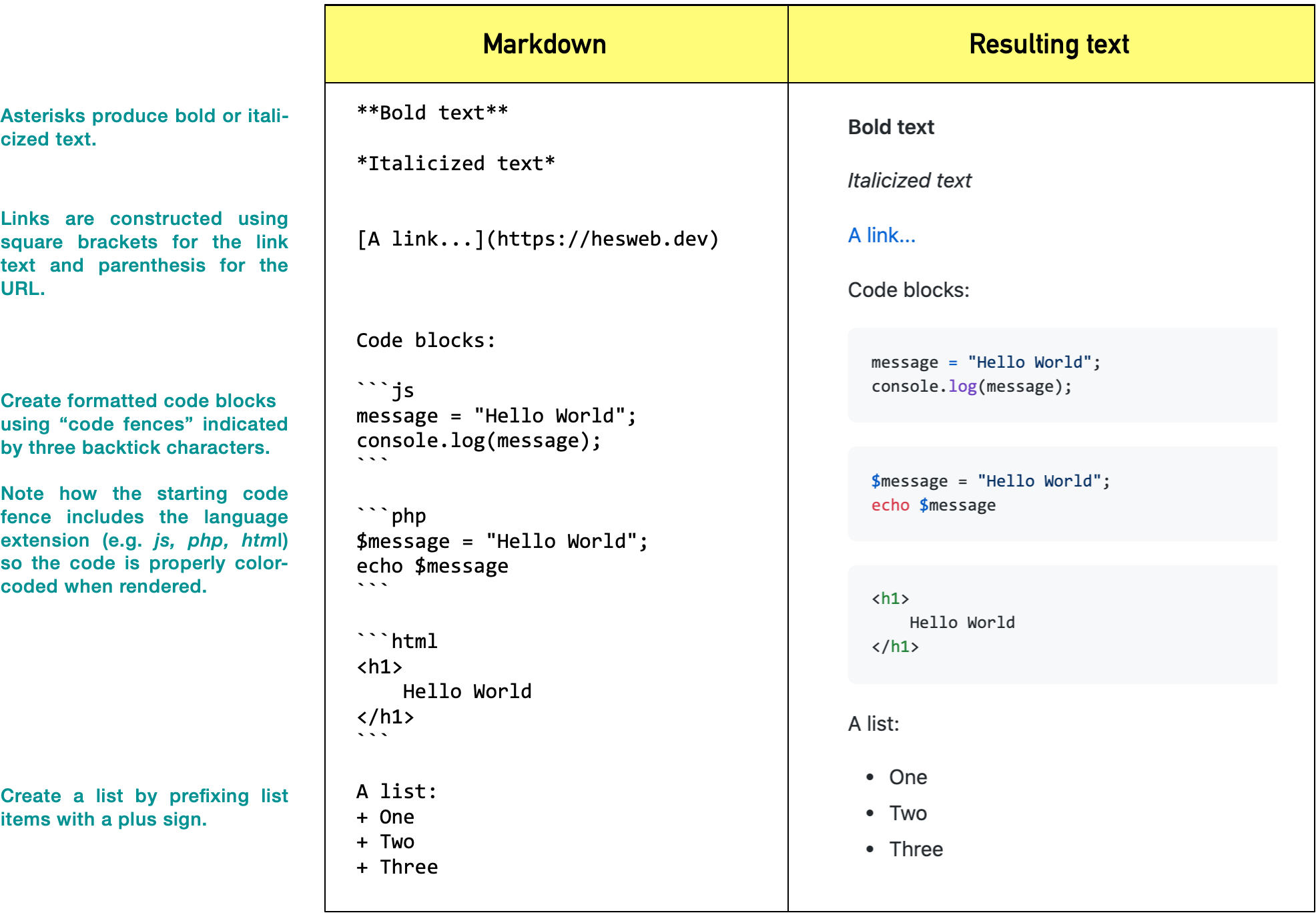
(For a more in-depth guide to Markdown, check out Github: Mastering Markdown.)
Practice
Using the reference sheet above and StackEdit (in-browser Markdown editor), write some Markdown code that produces the following styled content:
- Your name in bold text
- Your concentration in italicized text
- An unordered list of three books you’ve enjoyed, with links to their Wikipedia pages (or Amazon page if no Wiki exists).